
Our story
Strategic thinking, creative vision, and experience — united to build your brand.
Lorem ipsum dolor sit amet, consectetur adipiscing elit, sed do eiusmod tempor incididunt ut labore et dolore magna aliqua. Ut enim ad minim veniam, quis nostrud exercitation ullamco laboris nisi ut aliquip ex ea commodo consequat. Duis aute irure dolor in reprehenderit in voluptate velit esse cillum dolore eu fugiat nulla pariatur.

250+
Projects Delivered
1000+
Happy Clients
10+
Years of Experience
99%
Client Satisfaction
Driven by purpose. Built for growth.
Our mission, vision, and core values guide every strategy, design, and partnership, helping businesses grow with confidence.
Our Mission
To empower businesses with innovative digital solutions that create measurable growth and lasting value.
Our Vision
To become a trusted digital partner, helping businesses thrive through creativity, technology, and continuous innovation.
Our Values
Integrity, collaboration, innovation, and excellence guide every decision we make and every relationship we build.
Powerhouse Minds. Real- World Solutions.
Lorem ipsum dolor sit amet, consectetur adipiscing elit, sed do eiusmod tempor incididunt ut labore et dolore magna aliqua.

Olivia Bennett
Chief Marketing Officer
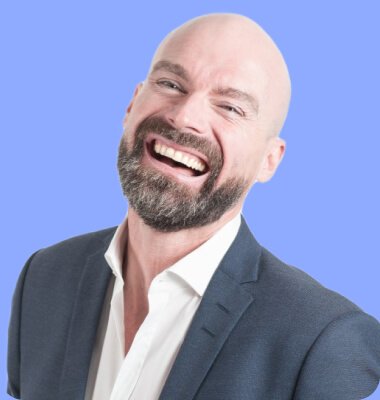
Olivia Bennett
Chief Marketing Officer

Olivia Bennett
Chief Marketing Officer

Olivia Bennett
Chief Marketing Officer
Testimonials

Lorem ipsum dolor sit amet, consectetur adipiscing elit, sed do eiusmod tempor incididunt ut labore et dolore magna aliqua. Ut enim ad minim veniam, quis nostrud exercitation ullamco laboris nisi ut aliquip ex ea commodo consequat. Duis aute irure dolor in reprehenderit in voluptate velit esse cillum dolore eu fugiat nulla pariatur.

Daniel Wilson
Founder & CEO
Trusted by 6000+ Companies










FAQ
Helpful Answers Before You Get Started
Find answers to the most common questions about features, pricing, integrations.
SaasLauncher is a modern WordPress FSE theme designed to help SaaS, startup, and technology businesses build professional websites faster.
Yes. SaasLauncher is built for WordPress Full Site Editing, giving you complete control over headers, footers, templates, pages, and global styles.
No. SaasLauncher lets you customize your website using the WordPress Site Editor and block-based tools without writing code.
Yes. SaasLauncher can be adapted for SaaS products, startups, AI platforms, software companies, apps, agencies, and technology businesses.
Yes. SaasLauncher includes ready-made layouts and sections that help you create a polished website without designing everything from scratch.
Yes. SaasLauncher is built around the WordPress Block Editor and works naturally with Gutenberg and compatible block plugins.
Yes. With Full Site Editing, you can visually customize your header, footer, templates, and other theme parts directly from the WordPress Site Editor.
Absolutely. SaasLauncher combines ready-made layouts, FSE customization, and block-based editing to help you build and launch a professional SaaS website faster.